Last updated September 2026
AI Workflow Automation with n8n
n8n's native AI nodes let a workflow call an LLM mid-process -- not a separate AI tool bolted on, but a step inside the same automation that's already handling your data.
Quick answer: An n8n workflow can call OpenAI, Anthropic, or a self-hosted model at any point -- summarizing a call transcript, classifying a support ticket, or drafting a follow-up -- then continue the workflow based on what comes back. The AI step is just another node, not a separate system to maintain.
What We Build
Call and meeting summarization
A transcript triggers an LLM call that produces a structured summary, action items, and next steps -- logged automatically to your CRM or project tool.
Support ticket classification
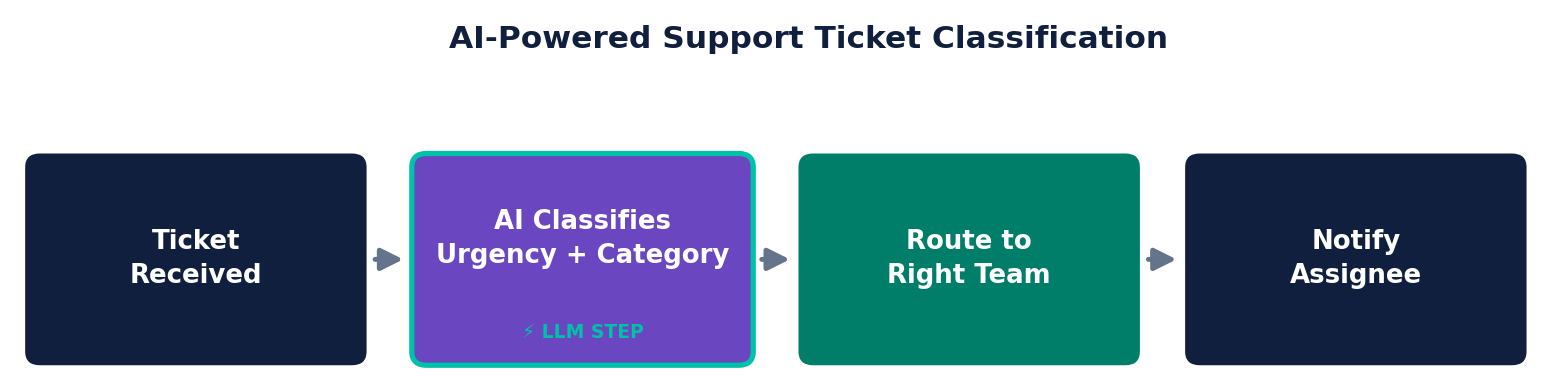
Incoming tickets get classified by urgency and category automatically, routed to the right team without a human triaging every single one.
Lead enrichment with AI-drafted context
Beyond simple data lookups -- an LLM step drafts a short summary of who a lead is and why they might be a fit, based on enriched data, before it ever reaches a rep.
Automated follow-up drafting
A workflow drafts a personalized follow-up based on context from the interaction -- a human still reviews and sends it, but the first draft is already done.
Frequently Asked Questions
Which AI models can n8n workflows call?
n8n's native AI nodes work with OpenAI, Anthropic, and most other major LLM providers via API, plus self-hosted open-source models if you want the AI layer to stay on your own infrastructure too.
Does using AI in a workflow send our data to a third party?
Yes, when a workflow calls a hosted model (OpenAI, Anthropic, etc.), that specific data goes to that provider's API for processing. For genuinely sensitive data, self-hosted open-source models keep everything on your own infrastructure -- something we scope during the audit if compliance is a factor.
Are AI API costs included in n8n's pricing?
No -- n8n's execution-based pricing (or free self-hosted) covers running the workflow itself. Each AI API call has its own separate cost from the model provider, billed directly to your account with them, not through n8n.
Do we need our own AI/ML expertise to use this?
No -- calling an LLM from an n8n workflow doesn't require training or fine-tuning a model, just a well-designed prompt and the right trigger conditions. That's the workflow design work we handle.