Last updated September 2026
Lead Scoring & Routing Automation with n8n
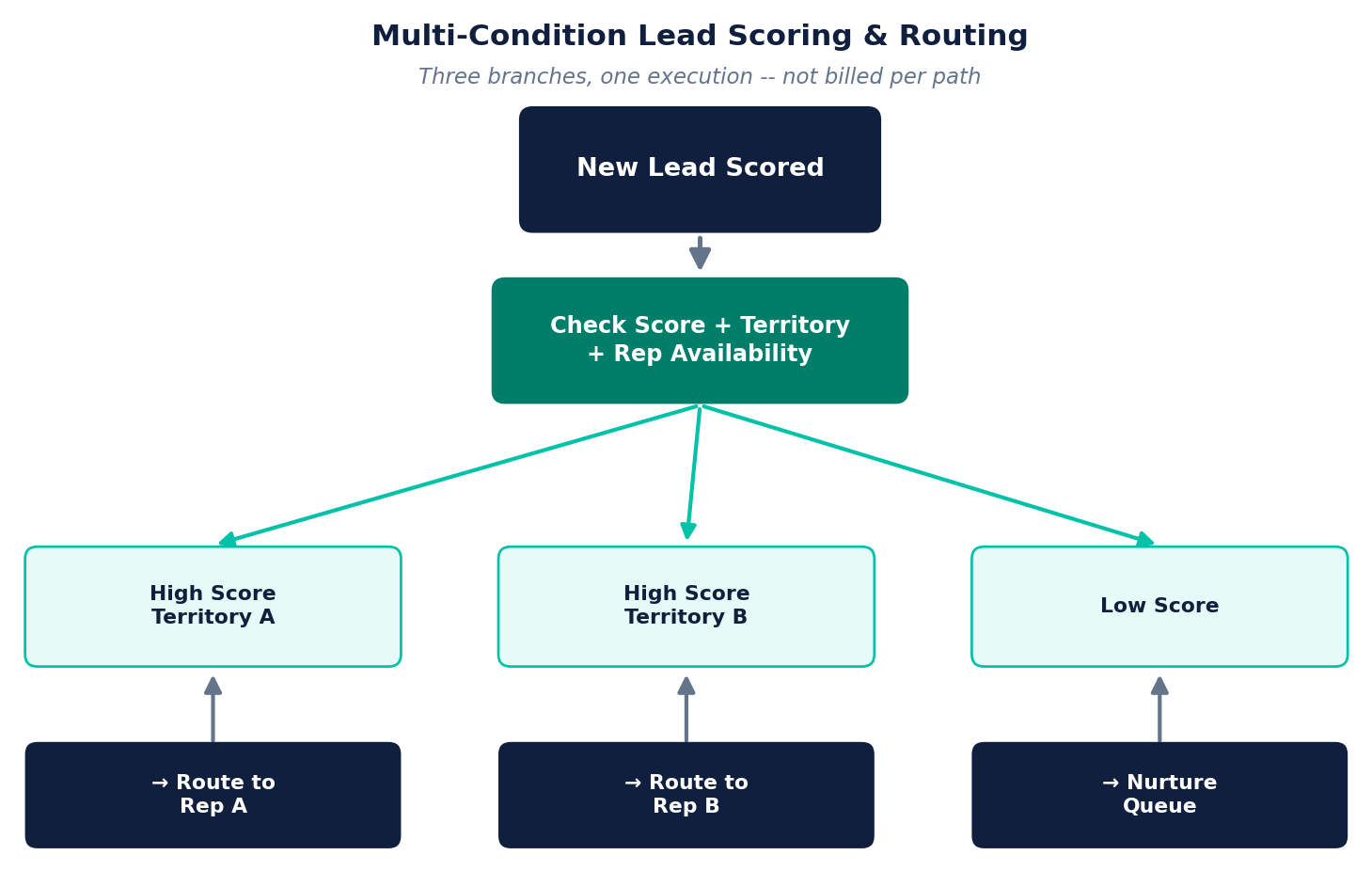
Score a lead, check multiple conditions, route to the right rep or team -- complex branching logic that would cost extra on a per-task platform, billed as one execution in n8n regardless of how many conditions it checks.
Quick answer: An n8n workflow can pull in data beyond what your CRM sees natively -- enrichment APIs, calendar availability, custom scoring rules -- check it against multiple conditions, and route the lead to the right person automatically. The whole branching workflow counts as one execution, not one per branch.
What We Build
Multi-condition lead scoring
Score based on firmographic data, engagement history, and enrichment data together -- not just one CRM field -- before a lead ever reaches a rep.
Territory and workload-based routing
Route by territory rules, current rep workload, or real-time calendar availability -- checked via API before assignment, not a static round-robin.
CRM sync with external data
Pull enrichment data from outside your CRM, combine it with internal fields, and write the result back -- keeping your CRM as the system of record without limiting the logic to what it can natively do.
Escalation and fallback logic
If a lead isn't claimed within a set window, or a condition fails, the workflow escalates or reroutes automatically -- no lead sits unclaimed because a rule silently failed.
Frequently Asked Questions
How is n8n lead routing different from routing rules built into a CRM?
CRM-native routing rules are usually limited to what the CRM's own logic builder supports. n8n can pull in data from outside the CRM -- enrichment APIs, calendar availability, custom scoring logic -- before making a routing decision, then write the result back.
Does more complex branching logic cost more in n8n?
No -- this is one of n8n's core advantages. The workflow is billed as one execution regardless of how many conditions or branches it checks, unlike per-task platforms where each branch can be billed separately.
Can n8n route leads based on territory or rep availability?
Yes -- a workflow can check territory rules, current rep workload, or calendar availability via API before assigning a lead, going well beyond simple round-robin assignment.
Which CRMs can n8n lead routing integrate with?
Most major CRMs (HubSpot, Salesforce, Pipedrive, and others) have native or API-based integration paths in n8n. If yours doesn't have a native node, n8n's direct API access still makes the connection possible.