Last updated September 2026

Make Lead Routing for SaaS Teams

Multi-condition lead routing built visually in Make's Router module -- more headroom than Zapier's linear Paths, without jumping straight to n8n's technical overhead.

Quick answer: Make's Router module handles multi-condition lead routing well, with visual branching that stays readable even as rules get moderately complex. It generally handles more conditions cleanly than Zapier before feeling unwieldy. It starts to strain once routing needs external data checks -- rep availability, enrichment APIs -- beyond what the Router can natively see, or once per-operation cost becomes a real concern at volume.

Is This the Right Fit?

We'd rather tell you honestly than build routing logic on the wrong platform.

Good fit if
  • Your routing rules involve several conditions -- more than Zapier's Paths handle comfortably, but not dozens
  • You want to see the branching logic visually while building and maintaining it
  • Moderate volume, not yet at a scale where per-operation cost is a real concern
  • Your CRM has a native Make integration already
You've likely outgrown it if
  • Routing needs to check external data -- rep availability, territory databases -- beyond what the Router can cleanly handle
  • Per-operation billing is now a real, growing line item as volume increases
  • You need self-hosted infrastructure for compliance reasons

Where the cost conversation actually starts

Make's Router bills each path as part of the same per-operation structure as the rest of the scenario -- more conditions and branches means more billed operations per run. For moderate-volume routing this is rarely a real cost. It's worth a second look once you're running real volume with several conditions checked on every lead.

What We Build

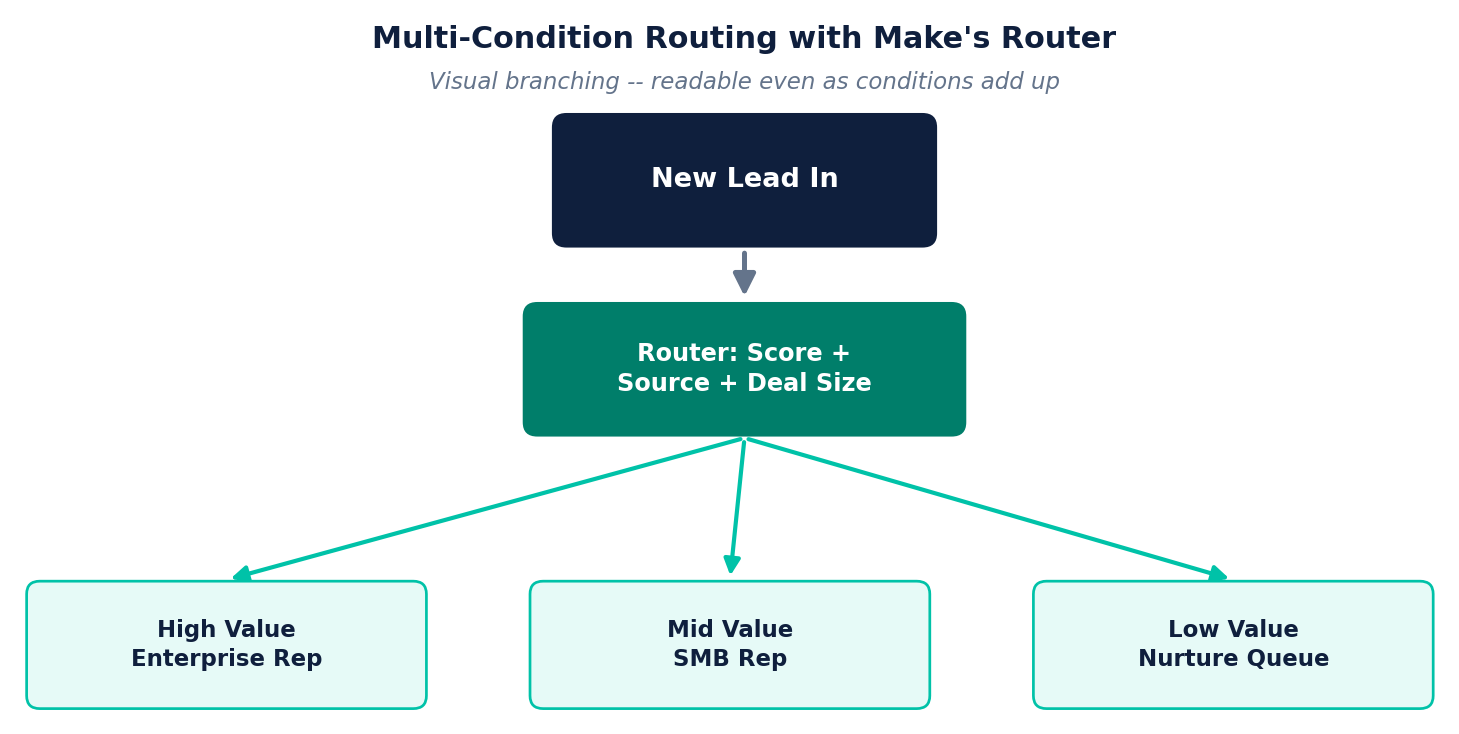
Multi-condition lead routing workflow using Make's Router -- new lead checked against score, source, and deal size, routed to enterprise rep, SMB rep, or nurture queue
Multi-condition score routing
A lead is checked against several conditions at once -- score, source, deal size -- and routed to the right rep or queue via Make's visual Router.
Territory and product-line routing
Leads split by region or product interest, written directly back to your CRM record without manual sorting.
Fallback and escalation paths
If a lead doesn't match any defined path, or isn't claimed in time, the scenario escalates automatically -- nothing sits unclaimed because a rule didn't anticipate it.
Outgrown Make's routing already? Our n8n Lead Scoring & Routing page covers external data checks and complex logic without per-branch cost. See our full n8n vs Zapier vs Make comparison if you're still deciding.

Every implementation starts with the same process we use for everything — audit first, then build what the audit actually finds, not the other way around.

Frequently Asked Questions

Can Make's Router handle multi-condition lead routing?

Yes -- Make's Router module supports multiple filtered paths with visual branching, generally handling more conditions cleanly than Zapier's Paths before it starts to feel unwieldy.

Is Make's lead routing better than Zapier's?

For moderately complex routing, generally yes -- Make's visual Router makes multi-condition logic easier to follow and adjust than Zapier's linear Paths. For very high volume or logic needing external data checks, n8n still offers more headroom.

How do I know if I've outgrown Make for lead routing?

The signals are the same as with any platform: per-operation cost growing with volume, or routing rules needing external data -- rep availability, enrichment APIs -- beyond what the Router can cleanly check natively.

Does Make lead routing integrate with our CRM?

Most major CRMs have native Make integrations, so routing decisions can write back to lead records directly without custom API work in most cases.

Not sure Make's Router fits your routing needs?

That's exactly what a Discovery Call is for — an honest look at your actual rules and volume before we recommend anything.

Tell us about your business →
We use cookies to understand how visitors use this site. Analytics cookies stay off unless you say yes — see our Cookie Policy for details.

Cookie Preferences

Strictly Necessary
Required for the site to function. Always on, cannot be disabled.
Analytics
Helps us understand how visitors use the site (Google Analytics). Off by default.